
Thread Mesh Meltdowns: Diagnosing Routing Loops and Dropped Nodes in Dense Smart Building Deployments
5 August 2026 · Lance Harvie
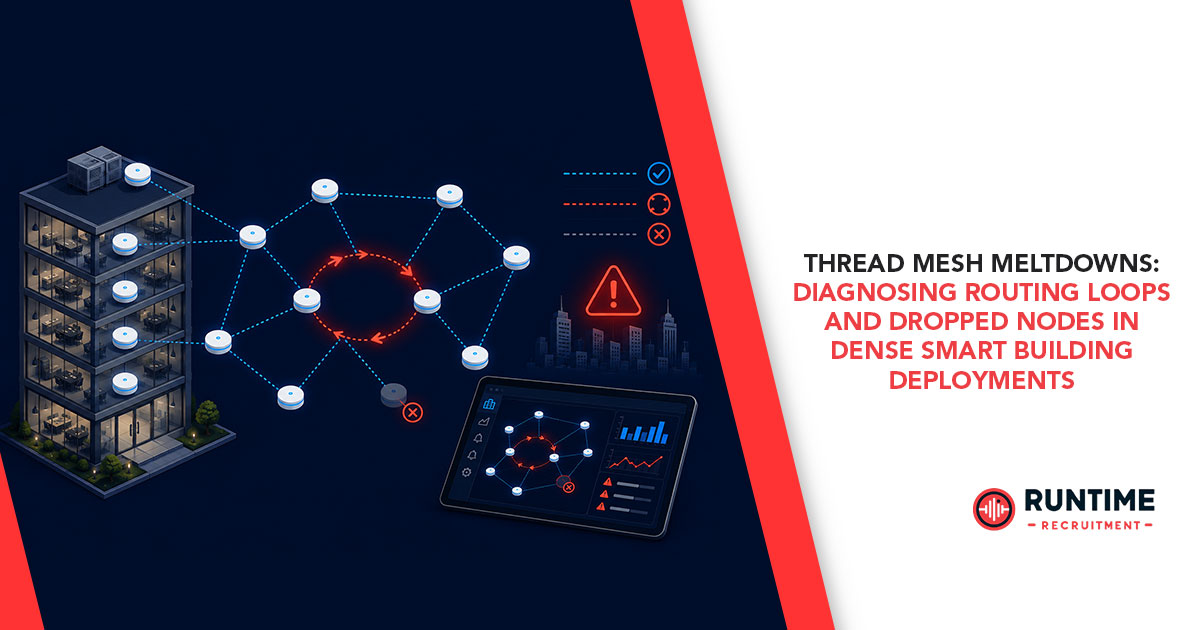
The rapid adoption of Thread protocol, built upon the IEEE 802.15.4 standard and IPv6, has fundamentally changed the landscape of low-power wireless communications. Originally popularized by the smart home sector and the Matter standard, Thread is increasingly being pushed into commercial environments. We are now seeing dense smart building deployments where hundreds, or even thousands, of nodes, ranging from intelligent HVAC dampers and occupancy sensors to massive interconnected lighting arrays, are expected to operate seamlessly on a single mesh network.
However, the transition from a typical 50-node residential setup to a 500-plus node commercial floor plan introduces immense complexity. When deployed at this scale, embedded engineers often encounter a harsh reality: network topologies that look robust on a whiteboard can rapidly deteriorate in the field. What begins as a few delayed lighting commands can cascade into a full-scale Thread mesh meltdown, characterized by severe routing loops, skyrocketing latency, and completely dropped nodes.
Diagnosing these failures requires a deep dive into the Thread stack, specifically examining Mesh Link Establishment (MLE) behavior, router role churn, and the physical constraints of the 2.4 GHz spectrum.
The Anatomy of a High-Density Thread Mesh
To understand why a Thread network fails under density, we must first look at how it successfully operates. Thread networks rely on a dynamic hierarchy of node roles to balance routing efficiency with power consumption. The network is orchestrated by a Leader, which manages the assignment of Router IDs. Beneath the Leader are Routers, which actively maintain the mesh topology and route packets.
Then come the Router Eligible End Devices (REEDs). These are mains-powered devices that act as end nodes but are capable of promoting themselves to Routers if the network topography demands it. Finally, there are the Sleepy End Devices (SEDs) and Minimal End Devices (MEDs), which rely entirely on a parent Router to queue their messages while they sleep to conserve battery life.
In a dense smart building deployment, you might have hundreds of REEDs (like smart luminaires) densely packed into a single open-plan office floor. The Thread specification limits the number of active Routers in a single network partition to 32. This limit is an architectural necessity to keep routing tables manageable and limit the broadcast overhead of routing updates.
When you place 300 REEDs in a single floor plan, only a fraction of them can become Routers. The rest must remain as end devices. This is where the physics of RF environments and the algorithmic nature of MLE collide, often resulting in catastrophic instability.
Failure Mode 1: The Routing Loop Meltdown
A routing loop in a Thread network is a devastating event. It occurs when two or more Routers incorrectly believe that the optimal path to a destination goes through each other. In traditional IP networks, protocols like OSPF or BGP have robust mechanisms to prevent this, but Thread’s routing is based on a lightweight distance-vector protocol optimized for constrained memory and low bandwidth.
How Loops Form in the Mesh
Thread Routers use MLE messages to exchange cost information. The path cost is calculated based on the Link Quality Indicator (LQI) and Received Signal Strength Indicator (RSSI) between neighbors. In a dense, dynamic environment like a smart building, the RF environment is constantly fluctuating due to moving people, opening doors, and interference from overlapping Wi-Fi networks.
When a temporary RF obstruction causes a sharp drop in LQI between a Router and the Leader, that Router will broadcast an updated MLE route advertisement reflecting a higher path cost. If a neighboring Router misses this update—perhaps due to a collision or transient interference—it may advertise an outdated, lower-cost route back to the Leader. The original Router, seeing this seemingly "better" path, updates its routing table to forward packets to its neighbor, which is in turn forwarding them back.
Symptoms of a Loop
When a routing loop occurs, the network experiences a rapid degradation of service. You will observe:
Packet Storms: Packets caught in the loop bounce back and forth until their Time-to-Live (TTL) or Hop Limit expires. This floods the 802.15.4 MAC layer, increasing the Clear Channel Assessment (CCA) failure rate.
Latency Spikes: Because the channel is saturated with looping packets, legitimate traffic is forced into exponential backoff, causing commands to take seconds to execute, if they execute at all.
Battery Drain: Sleepy End Devices (SEDs) attempting to communicate during a packet storm will exhaust their retries, staying awake longer and draining their power reserves at an accelerated rate.
Diagnosing the Loop
Identifying a routing loop requires moving beyond application-layer logs and peering directly into the network layer.
Sniffing the Air: Use a dedicated 802.15.4 packet sniffer and Wireshark. Filter for wpan.dst16 to track specific node addresses and look for packets with decrementing Hop Limits traversing the same set of MAC addresses repeatedly.
OpenThread CLI: If your devices expose the OpenThread Command Line Interface, accessing a node via serial can provide immediate insights. The router table command will output the current routing costs and next-hop information. Look for circular next-hop dependencies between neighboring routers.
MLE Diagnostics: Analyzing MLE advertisements in Wireshark (thread.mle) allows you to track the Route Data Option fields. You can watch in real-time as path costs become asynchronous and nodes make incorrect routing decisions based on stale data.
Failure Mode 2: Node Orphaning and Drops
While routing loops saturate the network, dropped nodes present a different challenge: parts of your mesh simply vanish. In a dense deployment, this often manifests as "orphaning," where end devices suddenly lose their parent Routers and fail to reattach.
The Problem with Router Role Churn
As mentioned earlier, Thread limits a network to 32 active Routers. In an environment with 300 REEDs, the network uses an algorithm to dynamically upgrade REEDs to Routers to maintain optimal coverage, and downgrade Routers to REEDs if they become redundant.
In a highly volatile RF environment, a Router might temporarily lose connection to its neighbors. The network, sensing a topological gap, promotes a nearby REED to Router status. Moments later, the original Router regains connectivity. The network now has an excess of Routers in that physical area and must downgrade one.
This creates "Router Role Churn." The constant upgrading and downgrading of devices requires immense MLE overhead. More critically, when a Router is downgraded to a REED, all of its children (the SEDs and MEDs that relied on it) are abruptly orphaned.
Child Table Saturation
Each Thread Router has a finite child table, typically limited by RAM constraints in the embedded microcontroller (often capped at 10 to 30 children per router). If an orphaned SED begins broadcasting Parent Requests, it may find that all nearby Routers have full child tables.
In a dense sensor network, a single Router failure can orphan 20 sensors. If the surrounding Routers are already at capacity, those 20 sensors cannot rejoin the mesh. They will sit in a continuous state of scanning, rapidly depleting their batteries and contributing to 2.4 GHz channel congestion with their repeated MAC beacon requests.
Partitioning
A more severe form of dropping occurs when the mesh fragments into multiple partitions. If a critical routing link is severed—perhaps a Border Router goes offline or heavy interference blocks a bottleneck hallway—the network splits. The separated nodes will elect a new Leader and form a new partition. While they can still communicate with each other, they are completely cut off from the main network and the external IPv6 infrastructure. Diagnosing this requires tracking the Partition ID in the MLE advertisements; if you see two distinct Partition IDs in the same physical space, your mesh has fractured.
Remediation Strategies for the Embedded Engineer
Solving these meltdowns requires moving from a reactive debugging state to a proactive network design strategy. Standard OpenThread defaults are tuned for the smart home, not the smart commercial building. You must adjust your firmware and deployment topologies accordingly.
1. Tuning Network Parameters
You cannot rely on default stack configurations in dense environments. You must compile your Thread stack with parameters specifically tuned for density:
Increase Child Limits: If your MCU has sufficient RAM, increase the maximum number of children per router (OPENTHREAD_CONFIG_MLE_MAX_CHILDREN). This provides a buffer when a neighboring router goes down, preventing cascading orphans.
Adjust MLE Timers: In volatile environments, the default Router Selection Jitter can lead to rapid role churn. Adjusting parameters related to router upgrade/downgrade thresholds can make the network more "sticky," prioritizing stability over perfect topological optimization.
2. Hardcoding Node Roles
One of the most effective ways to stabilize a dense commercial deployment is to override the dynamic nature of Thread. Not every mains-powered device needs to be a REED. If you have a dense array of 100 smart lights, allowing them all to compete for Router roles is a recipe for churn.
Instead, architect your network geographically. Hardcode 20 strategically placed lights to be permanent Routers, and force the remaining 80 to operate purely as End Devices (MEDs). By removing the REED capability from the majority of the dense cluster, you eliminate router role churn entirely. The mesh topology becomes deterministic, predictable, and drastically more stable.
3. Coexistence and Spectrum Management
Thread operates in the 2.4 GHz ISM band, meaning it competes directly with Wi-Fi and Bluetooth Low Energy. In a smart building, Wi-Fi interference is often the root cause of the LQI drops that trigger routing loops.
Channel Selection: Do not rely on Channel 11, 15, 20, or 25 if you can avoid it, as these heavily overlap with standard Wi-Fi channels 1, 6, and 11. Instead, scan the deployment environment and lock your Thread network to a "between" channel, such as Channel 26, which often sits above the highest-power Wi-Fi noise.
Hardware Coexistence: If your Thread radio shares a board or a close physical proximity with a Wi-Fi radio, ensure you have implemented a Packet Traffic Arbitration (PTA) interface. PTA utilizes dedicated hardware pins to signal transmission intent between the radios, preventing the Wi-Fi chip from deafening the Thread radio during critical MLE updates.
4. Strategic Border Router Placement
Border Routers bridge the Thread mesh to the building's Ethernet or Wi-Fi backbone. Relying on a single Border Router creates a massive single point of failure and a routing bottleneck, as all external traffic funnels through a single RF path.
Implement multiple Thread Border Routers distributed evenly across the floor plan. Thread natively supports multiple Border Routers, using Anycast routing to direct traffic to the closest exit point. This flattens the routing tree, reduces the hop count for external packets, and severely mitigates the impact of localized RF interference.
Conclusion
Deploying Thread in dense commercial environments requires a paradigm shift. Embedded engineers must move beyond the application layer and deeply understand the mechanics of Mesh Link Establishment, routing tables, and the physical limitations of embedded RAM and RF spectrum. By utilizing packet sniffers, hardcoding strategic node roles, and tuning stack parameters away from smart-home defaults, you can transform a volatile, looping network into a resilient, enterprise-grade mesh. Mastering these diagnostics is the difference between a deployment that fails during commissioning and one that operates silently and flawlessly for a decade.
Are you an embedded engineer navigating complex protocol stacks, or a hiring manager looking for top-tier firmware talent? Connect with RunTime Recruitment today to build the engineering teams powering the future of connected devices.