
The Walled Garden: Why Hermetic Build Environments Are Non-Negotiable for Embedded Engineering
24 August 2026 · Lance Harvie
1. The Eternal Embedded Nightmare: "It Builds on My Machine"
Every embedded software team has lived through a version of the same engineering tragedy. A customer reports a critical edge-case failure on a legacy microcontroller deployed in the field five years ago. A developer is tasked with opening the firmware repository, applying a hotfix, and rebuilding the binary. However, upon checking out the repository, chaos ensues. The project requires a legacy GCC ARM toolchain—specifically version 7-2018-q2-update—alongside a bespoke Python 2.7 build script, a deprecated vendor-specific HAL library, and a precise configuration of GNU Make that only runs correctly under an outdated Linux kernel or an unpatched Windows 7 virtual machine.
The developer spends three frustrating days setting up a dedicated environment, chasing broken environment variables, downloading archived 32-bit dependencies from obscure FTP servers, and manually configuring IDE path mappings. Even after the toolchain appears operational, the compiled binary does not match the CRC checksum of the original production release. A subtle patch-level variation in a system library or a slightly different glibc version altered code generation, shifting instruction alignment and invalidating hard-earned regression testing.
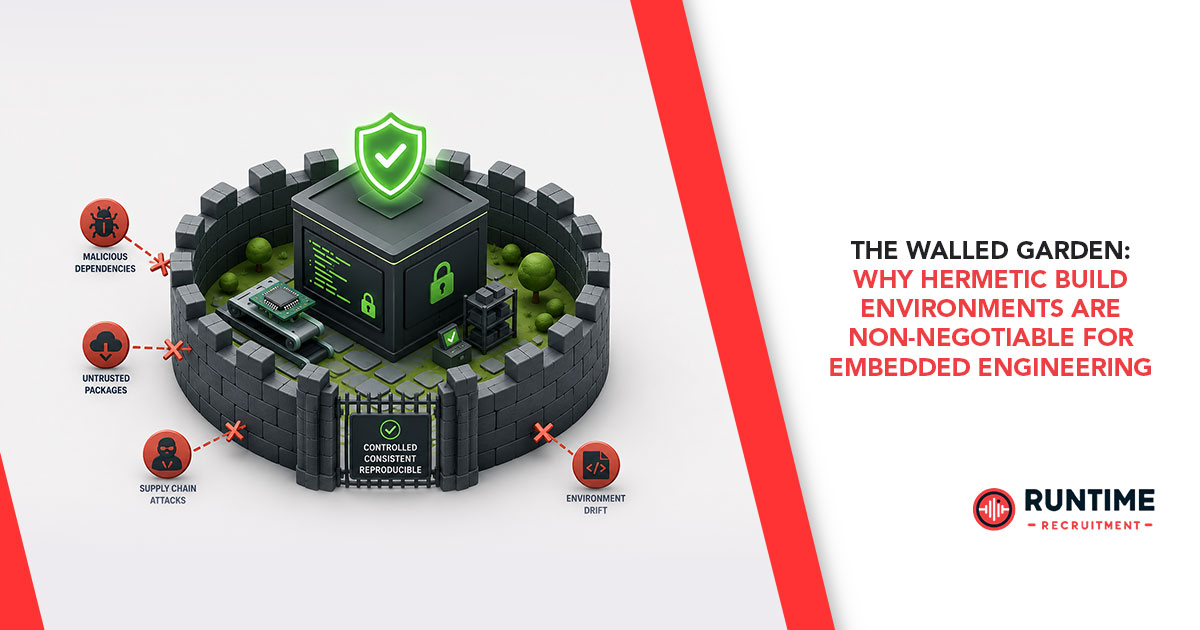
This fragility is the direct consequence of non-hermetic build environments. For decades, embedded development has relied on locally installed, host-dependent toolchains. Unlike modern cloud-native software development—where applications are packaged alongside their execution runtime—embedded engineering has traditionally treated the host workstation as a dirty canvas of globally installed tools. When build environments are tied to the host operating system's global paths, host library versions, and user configuration settings, bit-for-bit reproducibility across team members and automated build systems becomes virtually impossible.
2. Understanding Hermeticity in Firmware Engineering
In software architecture, a hermetic build environment is one that is completely self-contained, isolated, and deterministic. A build process is strictly hermetic if it depends only on source code, toolchains, libraries, and explicit configurations declared directly within the source tree. It remains entirely uninfluenced by the underlying host operating system, environment variables, installed background software, or regional host settings.
Core Definition: A build system achieves true hermeticity when executing the build command on three different platforms—such as an Ubuntu workstation, a macOS laptop, or a headless cloud CI server—produces byte-for-byte identical output binaries under all conditions.
Achieving hermeticity in cloud or web microservices is relatively straightforward because software runs on standard x86 or x86-64 servers. In contrast, embedded firmware engineering operates under a cross-compilation paradigm. Developers write and compile code on a host machine (typically x86_64 or ARM64) to generate machine code tailored for a completely different target architecture (ARM Cortex-M, RISC-V, ESP32, or legacy 8/16-bit MCUs). This cross-compilation layer introduces severe friction points:
Toolchain Creep: Host operating system updates can transparently update underlying build utilities (e.g., make, cmake, ninja, or python runtime versions), silently breaking build scripts or altering macro expansions.
Developer Onboarding Overhead: Onboarding a new firmware engineer frequently requires days of step-by-step setup guides, manual toolchain downloads, path configurations, and licensing setups.
CI/CD Disconnect: Local developer builds inevitably drift from Continuous Integration build machines. A bug may pass locally because of an uncommitted local header file, only to fail in CI—or worse, compile cleanly in CI but fail locally during debugging.
Long-Term Maintenance (LTM): Industrial, automotive, medical, and aerospace devices require firmware maintenance cycles spanning 10 to 25 years. Recreating an exact build setup decades later without containerization is an agonizing endeavor.
3. Containerization for Bare-Metal and RTOS Architectures
Docker revolutionized web architecture by packaging web servers, runtime environments, and application code into portable lightweight container images. However, embedded engineers initially resisted containerization under the misconception that Docker was meant only for hosting web applications or microservices. In reality, a Docker container is simply an isolated Linux process running on a shared kernel—making it the ideal wrapper for deterministic build tools.
By encapsulating the entire cross-compilation toolchain inside a Docker image, embedded teams can treat their build toolchain as a version-controlled artifact. The cross-compiler (such as arm-none-eabi-gcc or riscv64-unknown-elf-gcc), SDKs (such as Nordic nRF Connect SDK, STM32CubeCLT, or ESP-IDF), build generators, flashing utilities, and static analysis tools are pinned to exact versions within a single Dockerfile.
# Base environment pinning explicit OS distribution
FROM ubuntu:22.04 AS embedded-toolchain
ENV DEBIAN_FRONTEND=noninteractive
# Install core build engines and dependencies
RUN apt-get update && apt-get install -y --no-install-recommends \
build-essential \
cmake \
ninja-build \
python3 \
python3-pip \
git \
wget \
ca-certificates \
&& rm -rf /var/lib/apt/lists/*
# Pin specific GCC ARM Embedded Toolchain version
ENV ARM_TOOLCHAIN_VER="13.2.rel1"
&& tar -xJf arm-gnu-toolchain-${ARM_TOOLCHAIN_VER}-x86_64-arm-none-eabi.tar.xz -C /opt \
&& rm arm-gnu-toolchain-${ARM_TOOLCHAIN_VER}-x86_64-arm-none-eabi.tar.xz
ENV PATH="/opt/arm-gnu-toolchain-${ARM_TOOLCHAIN_VER}-x86_64-arm-none-eabi/bin:${PATH}"
WORKDIR /workspace
CMD ["cmake", "-Bbuild", "-GNinja"]
When this image is built, every developer on the project pulls the exact same hash-verified container. The host machine no longer needs GNU ARM GCC, CMake, or Ninja installed natively. The developer's host machine requires only Docker (or Podman), insulating the build system completely from host OS modifications, system upgrades, or missing dependencies.
4. Moving Beyond the CLI: Standardizing Developer Experience with Devcontainers
While wrapping a toolchain in a Docker container solves the reproducibility issue for command-line build scripts and CI/CD runs, it can create friction for day-to-day firmware development. Engineers often find raw command-line container invocations cumbersome, as running multi-line docker run -v $(pwd):/workspace ... strings disrupts interactive workflows, code auto-completion, static analysis, and integrated graphical debugging.
This is where Devcontainers (Development Containers) transform the developer experience. Governed by an open specification maintained by Microsoft and adopted across major editors like Visual Studio Code and JetBrains IDEs, Devcontainers bridge the gap between containerized isolation and rich interactive IDE capabilities.
A Devcontainer setup uses a simple configuration file—.devcontainer/devcontainer.json—located inside the repository. It tells the IDE how to launch the build container, attach directly inside its execution space, mount the workspace source code, and install required editor extensions inside the containerized environment.
{
"name": "Embedded ARM Cortex Development",
"build": {
"dockerfile": "Dockerfile"
},
"customizations": {
"vscode": {
"settings": {
"cWithIntelliSense.default.compilerPath": "/opt/arm-gnu-toolchain-13.2.rel1-x86_64-arm-none-eabi/bin/arm-none-eabi-gcc",
"cWithIntelliSense.default.cStandard": "c11"
},
"extensions": [
"ms-vscode.cpptools",
"ms-vscode.cmake-tools",
"marus25.cortex-debug"
]
}
},
"runArgs": [
"--privileged"
],
"workspaceMount": "source=${localWorkspaceFolder},target=/workspace,type=bind",
"workspaceFolder": "/workspace"
}
When an engineer opens a repository containing this configuration, the IDE automatically builds or pulls the container image and seamlessly restarts the workspace inside it. Code completion, indexers, static analysis engines, and syntax checkers run directly inside the container, utilizing the exact target header files, macros, and compiler flags configured within the isolated environment. Onboarding a new developer transitions from a multi-day installation marathon to a single, automated action: Clone Repository and Open in Container.
5. Hardware In The Loop: Managing USB Passthrough, JTAG/SWD Debuggers, and Flashing
A common concern among embedded engineers evaluating containerized builds is hardware connectivity. Firmware development requires physical interaction with target microcontrollers via debug probes (e.g., SEGGER J-Link, ST-LINK, CMSIS-DAP) and serial communication ports (UART-to-USB converters). Because Docker containers execute in isolated namespaces, they do not inherently see host USB or serial devices.
Fortunately, container runtimes and Devcontainers provide flexible mechanisms for passing physical host hardware directly into containerized environments without breaking isolation.
USB and Device Node Mounting
On Linux host machines, host hardware devices can be mapped directly into the container using flags like --device or elevated privileges. For example, mapping an ST-LINK programmer or a USB-to-Serial converter requires pointing to the device node:
# Mapping specific USB serial and debugging devices
docker run -it --rm \
--device=/dev/ttyUSB0:/dev/ttyUSB0 \
--device=/dev/bus/usb:/dev/bus/usb \
-v $(pwd):/workspace embedded-toolchain:v1.0
Cross-Platform USB Bridging (macOS and Windows)
Because Docker Desktop on macOS and Windows operates inside a lightweight hypervisor virtual machine, physical USB devices connected to the host are not natively exposed to Linux containers. Embedded teams overcome this using standard open-source tools:
OpenOCD / J-Link Server over IP: Run OpenOCD or SEGGER J-Link GDB Server natively on the host OS, exposing a local network socket (e.g., localhost:3333 or localhost:2331). The containerized GDB client connects directly across the virtual network bridge, enabling real-time step-debugging, memory inspection, and breakpoint management.
usbipd-win: On Windows platforms running WSL2/Docker, usbipd-win allows developers to attach physical host USB debug probes directly into the Linux guest environment, giving the container raw USB access for tools like pyOCD, esptool, or west flash.
6. Architectural Best Practices for Modern Firmware DevOps
To fully realize the performance and organizational benefits of hermetic build environments, embedded engineering teams should adhere to three core DevOps design patterns:
Multi-Stage Docker Builds for Lean CI/CD Pipelines: Avoid bundling heavy interactive tools inside production CI build images. Use Docker multi-stage builds to separate the heavy compilation container from lightweight deployment runtime images, maximizing caching efficiency and reducing bandwidth overhead in CI pipelines.
Decouple Hardware Access from Pure Build Containers: Structure build systems so that compilation never strictly requires hardware attached. Firmware compilation, unit testing with target-agnostic frameworks (like Unity or GoogleTest), and static analysis (e.g., Cppcheck, Clang-Tidy) should execute in headless, hardware-free containers. Hardware-dependent flashing and Hardware-In-The-Loop (HITL) testing should be handled as a separate execution phase.
Pin Toolchains to Immutable Container Registries: Never rely on floating tags like ubuntu:latest or toolchain images tagged merely as main. Tag toolchain container images using explicit semantic versions or immutable SHA256 image hashes (e.g., mycompany/arm-toolchain:v2.1.0@sha256:abc123...). Store these images in internal, immutable container registries to ensure long-term availability even if upstream vendor distribution sites change.
7. Transforming Embedded Engineering Workflows
Adopting hermetic build environments with Docker and Devcontainers fundamentally modernizes the embedded engineering lifecycle. By decoupling cross-compilation toolchains from individual developer workstations and host operating systems, engineering teams eliminate fragile setup routines, prevent subtle build variations, and ensure strict reproducibility across decades of product support.
Firmware developers can finally shift their energy away from troubleshooting broken build paths, compiler mismatches, and missing library dependencies—focusing entirely on writing robust, performant firmware for advanced embedded systems.
Looking for Experienced Embedded Firmware Talent?
Building cutting-edge embedded hardware demands top-tier engineering talent. Connect with RunTime Recruitment to source expert embedded systems, firmware, and edge AI software engineers tailored to your technical requirements.